
Case study
Species Gym Lead Capture Form and Admin View
Mobile QR intake, Supabase backend, and admin tools for a Katy, Texas gym event.
- Client
- Species Gym (Katy, TX)
- Role
- Strategy, UX, UI, development
- Timeline
- 3 days from brief to live
- Stack
- Next.js, Supabase, Vercel, Tailwind
- Deliverables
- Mobile landing page, confirmation pass, admin view, QR deployment
Context
Species Gym was hosting a 10 year anniversary open gym event in Katy, Texas. They wanted a simple way to collect attendee information at the door, separate existing members from new visitors, and run a product and membership giveaway without clipboards or manual spreadsheets.
Most guests would come in through a printed flyer, so the experience needed to be mobile first and fast to complete while people stood in line.
Challenges
- Capture names, phones, and emails from walk-in guests on their own phones.
- Flag existing members versus new visitors for follow up.
- Give staff an easy way to confirm entries at the front desk during a busy event.
- Store data in a real backend, not a Google Sheet, so it could power future email campaigns and membership offers.
Solution
Intake screen
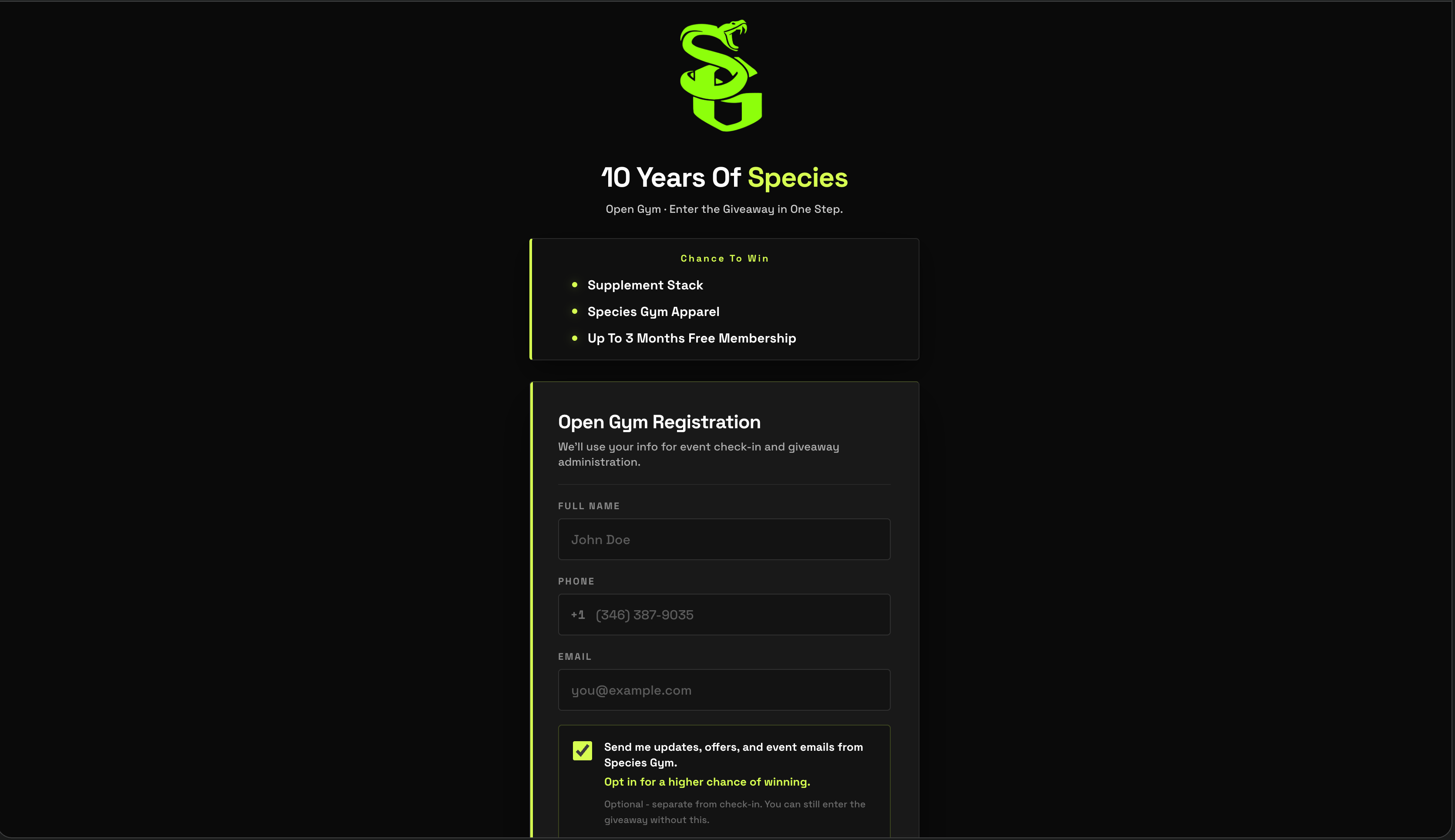
I designed a one step mobile intake screen that matched Species Gym’s Kinetic Grit brand. The form collects full name, phone, email, an existing member toggle, and an optional marketing opt in checkbox.
The layout is tuned for phones, with large tap targets, clear labels, and a single primary call to action: “Enter to win.”
Confirmation pass
After submission, visitors see a personalized confirmation screen: “You are in, [Name].” It shows a unique entry code, simple instructions for the front desk, and a recap of their registration details so staff can verify quickly.
Visitors can show this screen live or screenshot it for later in the day.
Admin and data
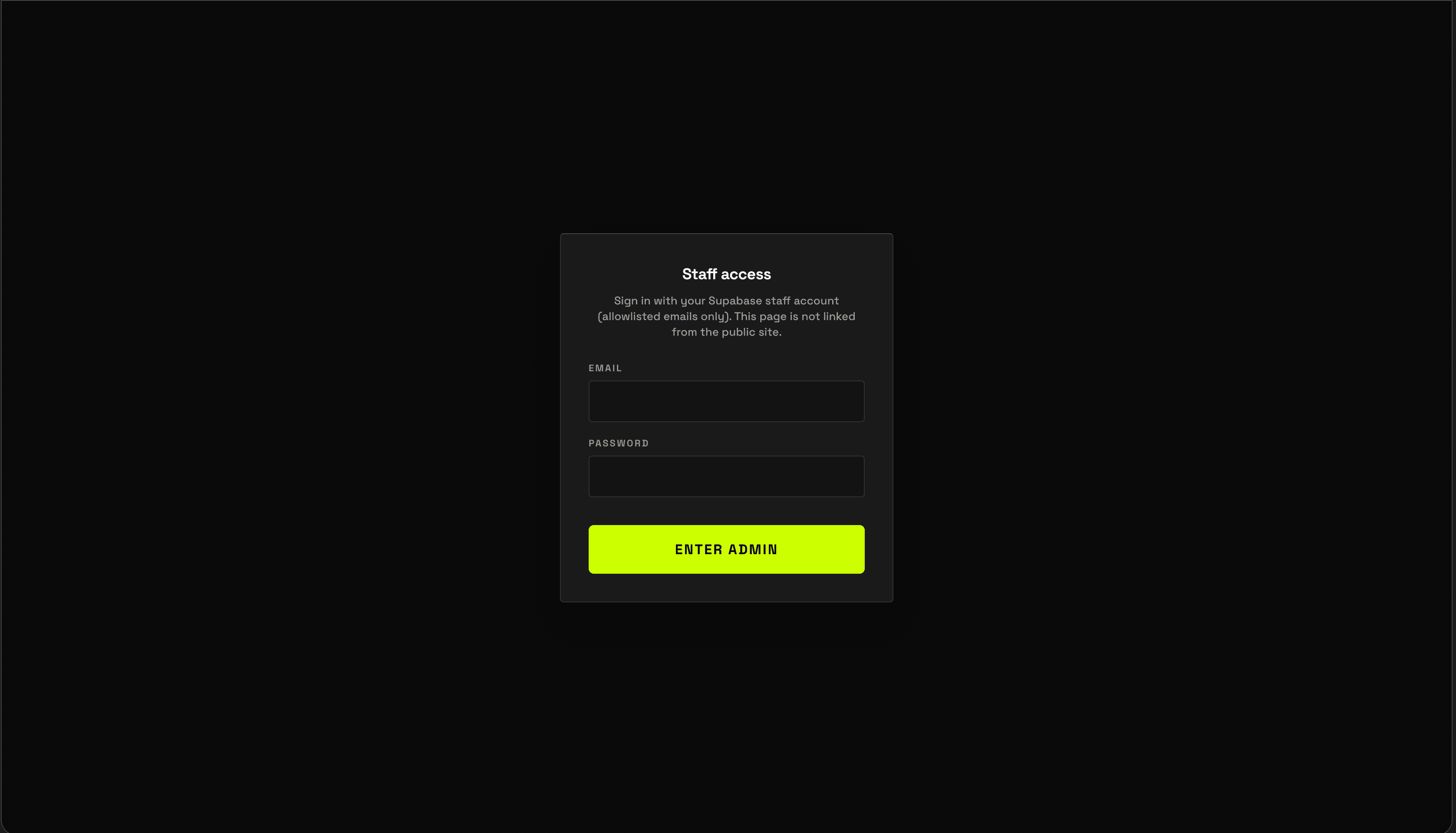
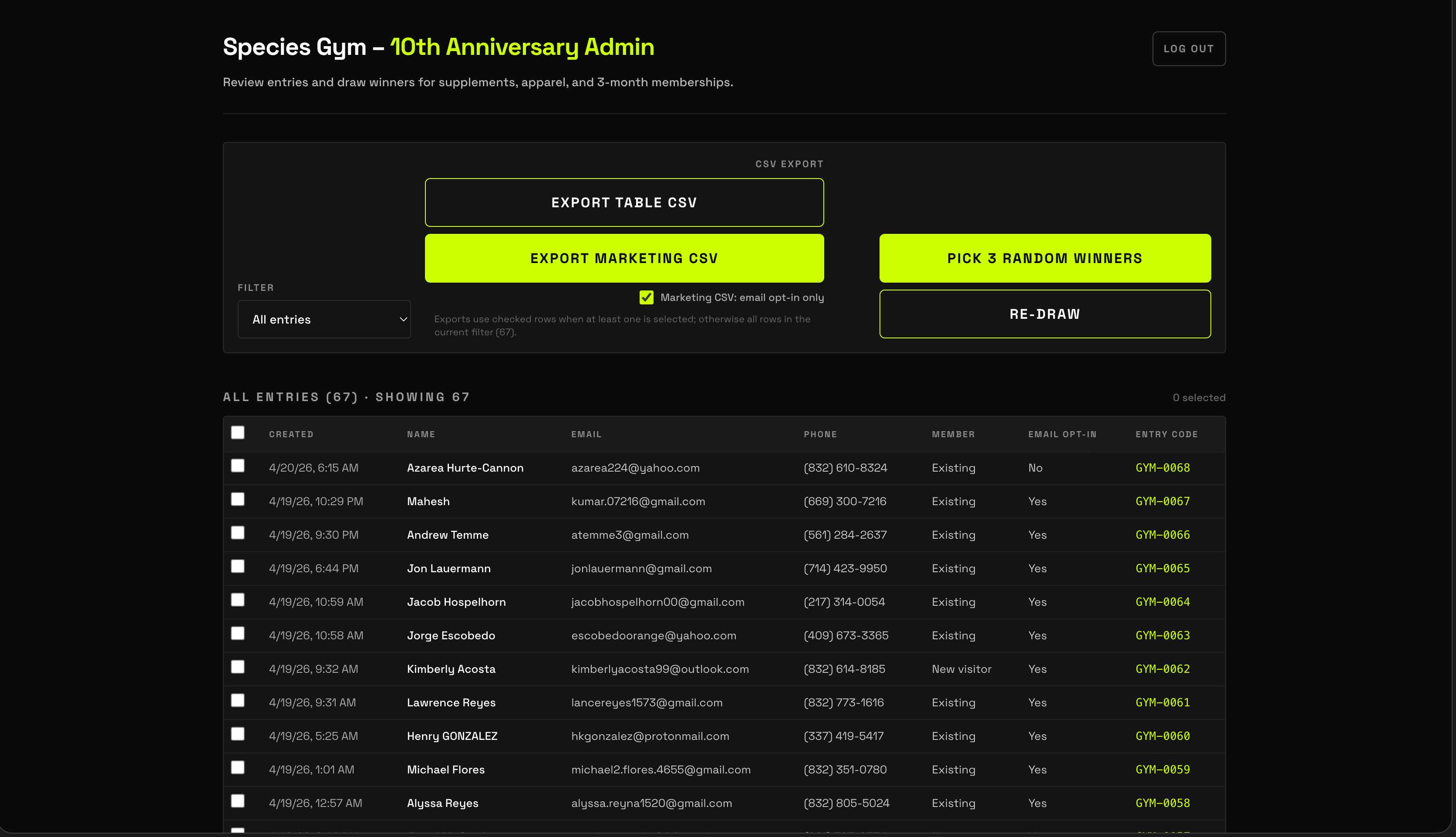
On the backend, I set up a Supabase project with a registrations table and views that separate existing members, new visitors, and non-members who opted into email.
This let the team review entries during the event, draw winners, and later export only qualified non-members into their email tool.
How it was built
Frontend in Next.js with a mobile first layout, deployed on Vercel at species-gym.vercel.app.
Supabase handles auth free inserts, data storage, and SQL views for different segments.
Form validation on the client so errors are caught before hitting the server.
Environment configuration so staging and production point at the correct Supabase project.
This project started as a tight three day build from scope to deployment, including design, implementation, and live event testing.
Impact
During the anniversary event, the system captured over [X] entries in a few hours, including [Y] non-members and [Z] people who opted into email. Staff used the confirmation pass and entry codes at the front desk to validate winners without touching paper forms.
The gym now has a clean dataset they can use to:
- Email non-member attendees with intro offers.
- Email existing members with referral incentives.
- Tie future campaigns into the same Supabase backend.
My role
I handled the project end to end:
- Defined the scope with the gym owner and admin.
- Designed the UX flow from QR scan through admin review.
- Created the visual design and layout in the browser.
- Built the web app, set up Supabase, and deployed to Vercel.
- Supported the team on the day of the event and helped them draw winners.
Next steps
The next phase is to apply the same system thinking to the main Species Gym website and connect it to their ABC Fitness membership platform. The goal is to turn the website into the front door of the gym and push new leads directly into the membership system instead of juggling multiple tools by hand.